Streamlit DataFusion Explorer
A local SQL workbench for uploaded CSV, JSON, and Parquet files using Streamlit, DataFusion, PyArrow, and pandas.
Captured locally
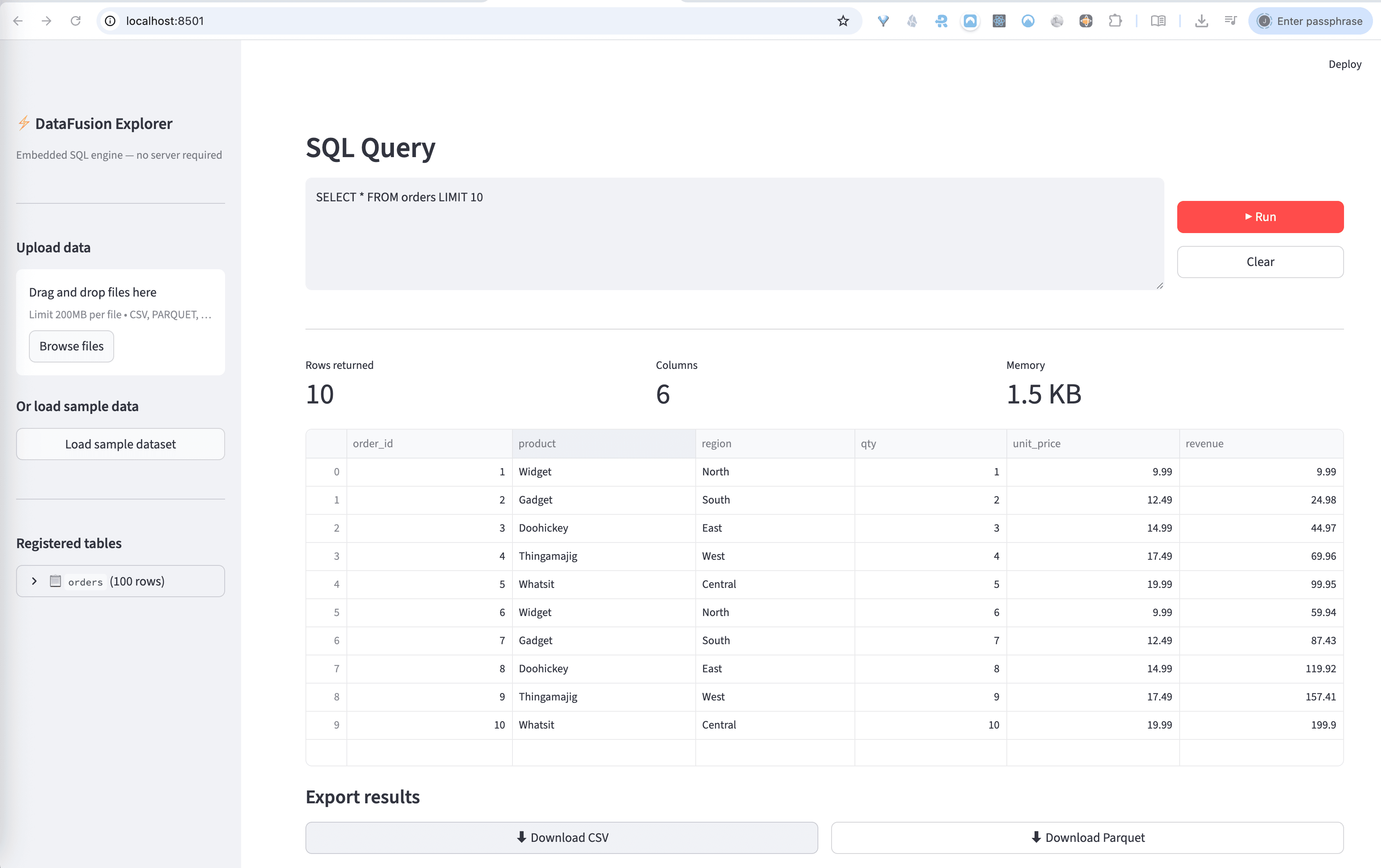
Streamlit interface running against a local DataFusion session
Overview
A lightweight SQL layer over local files
This spike wraps Apache DataFusion in a Streamlit UI so a user can upload flat files, register them as in-memory tables, and run ad hoc SQL without provisioning a database server.
Workflow
1. Upload one or more files and infer a safe table name from each filename.
2. Parse into Arrow tables with `pyarrow.csv`, `pyarrow.parquet`, or JSON decoding.
3. Register batches into DataFusion and inspect schema in the sidebar.
4. Run SQL, inspect results, then download the result set as CSV or Parquet.
Representative queries
Run locally
cd ../spikes/streamlit_datafusion
python3 -m venv .venv
source .venv/bin/activate
pip install -r requirements.txt
streamlit run app.py
The app ships with a sample `orders` dataset, so it is usable immediately even before uploading any files.
What I learned
DataFusion is a strong fit for small local analysis tools because it gives SQL over Arrow-native data structures without dragging in the operational overhead of a separate database.
Streamlit also works well here because the value is in the data workflow, not bespoke frontend engineering. That keeps the spike focused on ingestion, query execution, and result export.